Upgrading your finances has never been easier.
- Up to 2% cash back on everyday purchases
- It’s quick, easy, and free to open an account

Why make the switch?
Enjoy premium benefits when you switch to Rewards Checking Preferred and set up a monthly direct deposit of $1,000 or more!

Higher Rates (APY) on Savings
Add a Performance Savings account when you open your checking account to earn up to 3.05% APY.
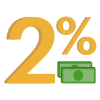
Up to 2% Cash Back
On common everyday expenses, recurring payments and subscriptions.
Mobile Check Deposits
Deposit checks right from your mobile phone.
It’s as easy as 1-2-3
Once your account has been opened, you'll receive a link to the switch kit to guide you through the steps below.
1. Set up direct deposit
Easily set up direct deposit with our automated tool, simple authorization form, or manually enter your Upgrade account information to your payroll provider.
2. Transfer automatic payments
Transfer all automatic payments so that they come from your Upgrade Visa® Debit Card or Rewards Checking Preferred account.
3. Close your old account
After verifying that all outstanding transactions have completed, submit an account closing letter to your former account holder.
Don’t have an Upgrade account yet?

Manage your money on the go
- Secure 24/7 access to your money
- View balances, transfer money between accounts
- You’re in control. Set up real-time alerts



Point your phone's camera at this code to download the app

Need Assistance?
Thinking about switching to Upgrade? Our support team is here to help. Whether you have questions about our services or need guidance on how to make the switch, reach out to us anytime at depositsupport@upgrade.com
The debit card with up to 2% cash back on purchases
- No monthly maintenance fees
- It's quick, easy, and free to open an account
